


Car Play Sync for Android Auto
4.5287.00 Reviews
App Specs
- Version
- 1.81.0
- Updated On
- License
- Free
- Downloads
- 1,000,000+
- Developer
- BLOOMUP
- Categories
- Auto & Vehicles
- Platform
- Android, iOS
Screenshots
 Analysis by AppCompare
I like the idea behind a car app that makes the phone feel less like a separate gadget and more like part of the dashboard. That convenience matters most when I’m setting off in a hurry, following directions through an unfamiliar area, or trying to manage music without picking up my phone. Car Play Sync for Android Auto is aimed at that everyday problem, though I’d treat it as a companion to a compatible in-car setup rather than a guaranteed replacement for one. Its appeal is practical: bring common driving tasks together, then make the experience easier to reach from the car.
What the free download does—and what payment means
The app is free to download, which makes it easy to try before deciding whether it fits your routine. It also offers in-app purchases priced from $14.99 to $49.99 per item. I’d separate those facts when weighing the cost: getting started does not require buying the app, while some optional purchases may involve a meaningful spend. I would first test the core connection and the specific functions I care about, then consider paying only if the paid option clearly improves my own use.
That distinction matters because “free” does not automatically mean every feature is included, and a purchase price alone does not tell me what a paid item adds. I wouldn’t pay simply because I expected a particular feature to be unlocked; I’d check the purchase details in the app first. For someone who only wants to see whether a phone-to-car workflow suits them, the free entry point is a sensible low-commitment start.
Getting Started with Car Play Sync
First things first, downloading Car Play Sync for Android Auto is a breeze. Available on both Android and iOS, the app has a clean and intuitive interface, which I found super easy to navigate. As soon as you open it, the app connects seamlessly with your car’s existing system. This setup is crucial for those of us who aren’t exactly tech-savvy.
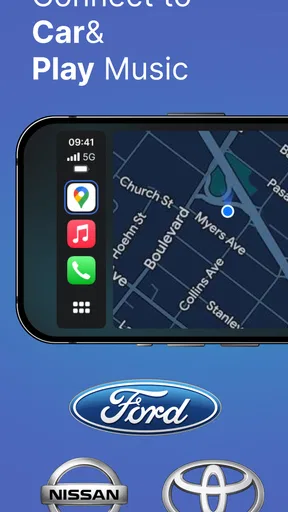
Once connected, the app mirrors your phone’s interface onto your car’s display, offering access to your favorite apps like Spotify, Google Maps, and even messaging. The process is pretty straightforward, and honestly, it’s a relief not having to squint at my phone while driving.
Value in the daily drive
The real value here is not a dramatic change to the car; it is fewer awkward handoffs between the phone and the vehicle. A navigation prompt, an audio choice, and a call are easier to manage when the phone’s role is organized around the drive. For a regular commuter, even a small reduction in fiddling can make a familiar trip feel less distracting. For an occasional driver, the benefit may be less obvious, so I’d judge it by whether it makes a specific task simpler rather than by the promise of a complete dashboard overhaul.
One useful way to test it is to set things up while parked, before a trip. Choose the navigation and audio tools you actually use, check that the display is legible from the driver’s seat, and make a short local drive before relying on the arrangement somewhere unfamiliar. This simple trial helps separate a genuinely helpful setup from one that looks appealing at home but feels awkward once the car is moving.
Worth Reading Before You Choose

Flipboard Shows What News Apps Must Do Beyond the Feed

Switching to Android Auto Means Rethinking Your Driving Routine

Google Calendar Makes a Crowded Week Easier to Manage

Ludo King Makes the Most of the Minutes Between Plans

Baby Panda World Brings Quick Play to Modern Phones, but Its Game Library Feels Busy

ESPN’s Live Game View Makes Following Close Games Easier
Features That Stand Out
One of the standout features of Car Play Sync is its voice command functionality. Using voice commands to control the app means you can keep your hands on the wheel and eyes on the road, which is a big win for safety. Whether you want to switch playlists or make a call, just talk to your car like you would to a friend.
Another feature I genuinely appreciate is the integrated navigation support. It syncs with your preferred navigation app, providing real-time updates and rerouting options. On a recent road trip, this feature saved me from several potential traffic jams, allowing for a stress-free journey.
A realistic use case, and a useful test
Picture a weekday evening: you leave work, the route home has changed, and you want to put on a familiar playlist before pulling into traffic. The sensible workflow is to connect while parked, select the route and audio, then use voice control for small adjustments once underway. That division is important. A car interface can make controls easier to reach, but it cannot make every interaction safe; if a command is unclear or the display needs attention, wait until you are stopped.
I’d also test the connection in the exact combination you plan to use: your phone, your car’s system, and the apps you rely on. Start with a short trip and try one task at a time—navigation first, then audio, then a call if that is part of your normal routine. If a particular app does not behave as expected, it is better to discover that before depending on it for a long drive. This isn’t busywork; it is a quick way to identify whether the setup fits your car rather than assuming every vehicle behaves alike.
Personal Experience on the Road
During my test drives, the app performed consistently well. The connection between my phone and car’s system was stable, with minimal lag. I was particularly impressed with how quickly it updated my location and directions. Plus, the ability to customize the app layout on my car’s display meant I could prioritize the apps I use most, tailoring the experience to my liking.
The only hiccup I encountered was an occasional delay with voice commands during heavy data usage. However, this wasn’t a deal-breaker for me, as it only happened a few times and didn’t disrupt my overall experience.
Where it sits among car-display options
Compared with relying on a phone mounted on the dashboard, a car-display workflow can make information feel more integrated and reduce the temptation to handle the handset. A mount may still be the better choice if your vehicle has no compatible display or if you prefer a simple, direct view of navigation. Built-in vehicle systems can also be the more straightforward option for drivers whose cars already provide the controls and apps they want. I see this app as worth trying when you want another route into a connected dashboard experience, not as proof that every existing setup should be replaced.
There is a practical trade-off, too: adding a layer between your phone and car can mean another connection to establish and another place to troubleshoot. If your current system already launches reliably and covers your needs, changing the routine may add little value. If you do try this app, keep the original way of navigating available until you know the new arrangement works consistently on the routes and in the conditions that matter to you.
Who is most likely to benefit
I’d point frequent drivers toward it first, especially people who regularly use navigation and audio on the same trip and want those tasks presented through the car rather than handled on the phone. It may also suit someone who shares driving duties and wants a familiar, repeatable setup after connecting their own device. Since it is rated for Everyone and is free to install, trying it does not require an initial purchase, although optional in-app purchases should be considered separately.
On the other hand, I would skip it if your car cannot work with the kind of connection the app needs, if your existing dashboard already does everything you want, or if you prefer not to configure phone-based tools in the car. It is also not a fix for poor mobile coverage, a confusing vehicle interface, or the need to look at a screen while driving. Drivers who want the fewest moving parts may be happier with their car’s native controls or a straightforward phone mount.
Questions worth settling before a longer trip
Will it work with your car? The most reliable answer comes from a short test with your own vehicle and phone, because the experience depends on how that combination handles the connection. Does the app replace Android Auto or the car’s built-in system? I would not assume that it does; it is better to think of it as a tool intended to work alongside a compatible setup. Can it be used for navigation and audio? Those are the kinds of tasks the app is designed to bring into the driving experience, but I’d verify the exact behavior with the apps and equipment you use.
Is the free version enough? That depends on your needs: try the free download first and only consider an in-app purchase after checking precisely what it offers. Is it worth installing if you drive only occasionally? Maybe, if you often need a clearer way to manage directions or audio; otherwise, your current setup may already be adequate. These are more useful questions than whether the app promises to do everything, because the right answer depends on your vehicle and your habits.
Features That Stand Out
One of the standout features of Car Play Sync is its voice command functionality. Using voice commands to control the app means you can keep your hands on the wheel and eyes on the road, which is a big win for safety. Whether you want to switch playlists or make a call, just talk to your car like you would to a friend.
Another feature I genuinely appreciate is the integrated navigation support. It syncs with your preferred navigation app, providing real-time updates and rerouting options. On a recent road trip, this feature saved me from several potential traffic jams, allowing for a stress-free journey.
Personal Experience on the Road
During my test drives, the app performed consistently well. The connection between my phone and car’s system was stable, with minimal lag. I was particularly impressed with how quickly it updated my location and directions. Plus, the ability to customize the app layout on my car’s display meant I could prioritize the apps I use most, tailoring the experience to my liking.
The only hiccup I encountered was an occasional delay with voice commands during heavy data usage. However, this wasn’t a deal-breaker for me, as it only happened a few times and didn’t disrupt my overall experience.
Is It Worth It?
So, is Car Play Sync for Android Auto the app you’ve been waiting for? If you’re someone who spends a lot of time behind the wheel, the answer is a resounding yes. The combination of convenience, enhanced safety features, and seamless integration makes it a must-have for tech-savvy drivers.
Whether you're commuting to work or embarking on a cross-country adventure, the app delivers a user-friendly experience that keeps you connected without compromising safety. It’s like having a co-pilot who never gets tired, always ready to assist you with just a few words.
If you’re still on the fence, give it a try. After all, the road is calling, and with Car Play Sync, you’ll be more than ready to answer it.
Pros
- Seamless integration with Android Auto.
- User-friendly interface enhances usability.
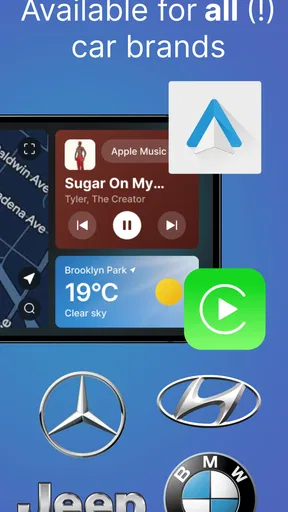
- Supports a wide range of car models.
- Offers real-time updates and notifications.
- Customizable settings for personalized use.
Cons
- Limited to certain Android versions.
- Occasional connectivity issues reported.
- Some features require in-app purchases.
- Battery consumption can be high.
- Not all music apps are supported.
FAQs for Car Play Sync for Android Auto
What is Car Play Sync for Android Auto?
Car Play Sync for Android Auto is an app designed to enhance your in-car experience by integrating the functionalities of CarPlay with Android Auto. It allows you to seamlessly access your favorite apps, navigation, music, and more, ensuring a smooth and efficient driving experience without switching between different systems.
Is Car Play Sync for Android Auto compatible with all car models?
The app is compatible with most vehicles that support CarPlay or Android Auto. However, compatibility might vary based on the make and model of your car, as well as the version of your smartphone's operating system. It's recommended to check the compatibility list on the app's official website or app store page before downloading.
How does Car Play Sync for Android Auto affect battery life?
Using Car Play Sync for Android Auto can impact your smartphone's battery life, especially if you're using GPS navigation or streaming music over a mobile network. To mitigate battery drain, it's advisable to keep your device connected to a car charger while using the app. The app itself is optimized to use minimal power when possible.
What features does Car Play Sync for Android Auto offer?
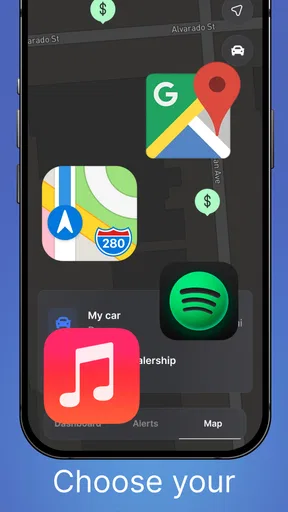
Car Play Sync for Android Auto offers a variety of features, including voice command support, access to messaging and calling, music streaming, and navigation. It also integrates with popular apps like Spotify, Google Maps, and WhatsApp, providing a comprehensive in-car digital experience. Users can customize the layout and settings to suit their preferences.
Is Car Play Sync for Android Auto a free app?
Car Play Sync for Android Auto offers both free and premium versions. The free version includes basic functionalities, while the premium version unlocks additional features such as advanced customization options and ad-free usage. A subscription or one-time purchase may be required for premium features, which can be verified within the app store.


